| It can be handy to set up a folder, label, or filter in your email provider to keep track of notifications about your User Interviews projects. While settings vary by email providers, we've noticed that many researchers use Gmail. Here's a quick Gmail hack to add a filter for project updates. |
This article applies to User Interviews
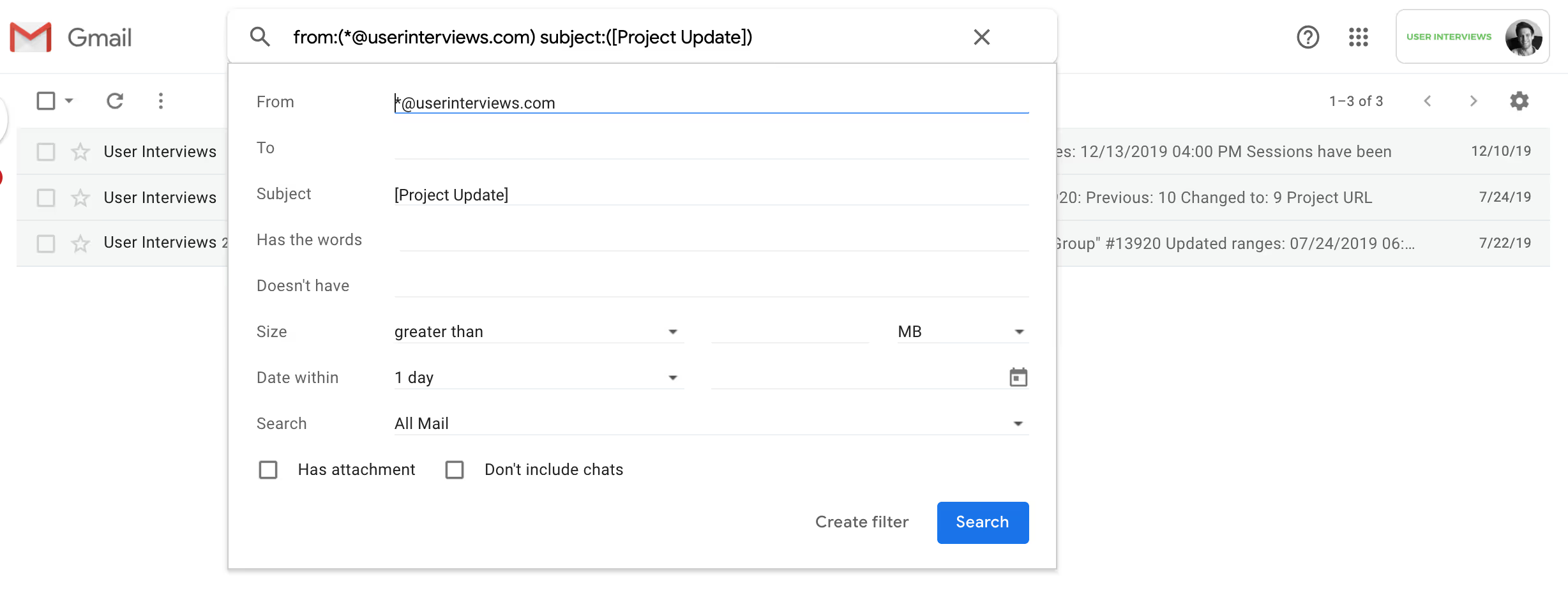
- Search for "from:*@userinterviews.com subject:[Project Update]". This will find emails from @userinterviews.com addresses with "[Project Update]" in the subject line.
- Click the gray arrow in the search bar.

- In the dropdown, click "create filter"
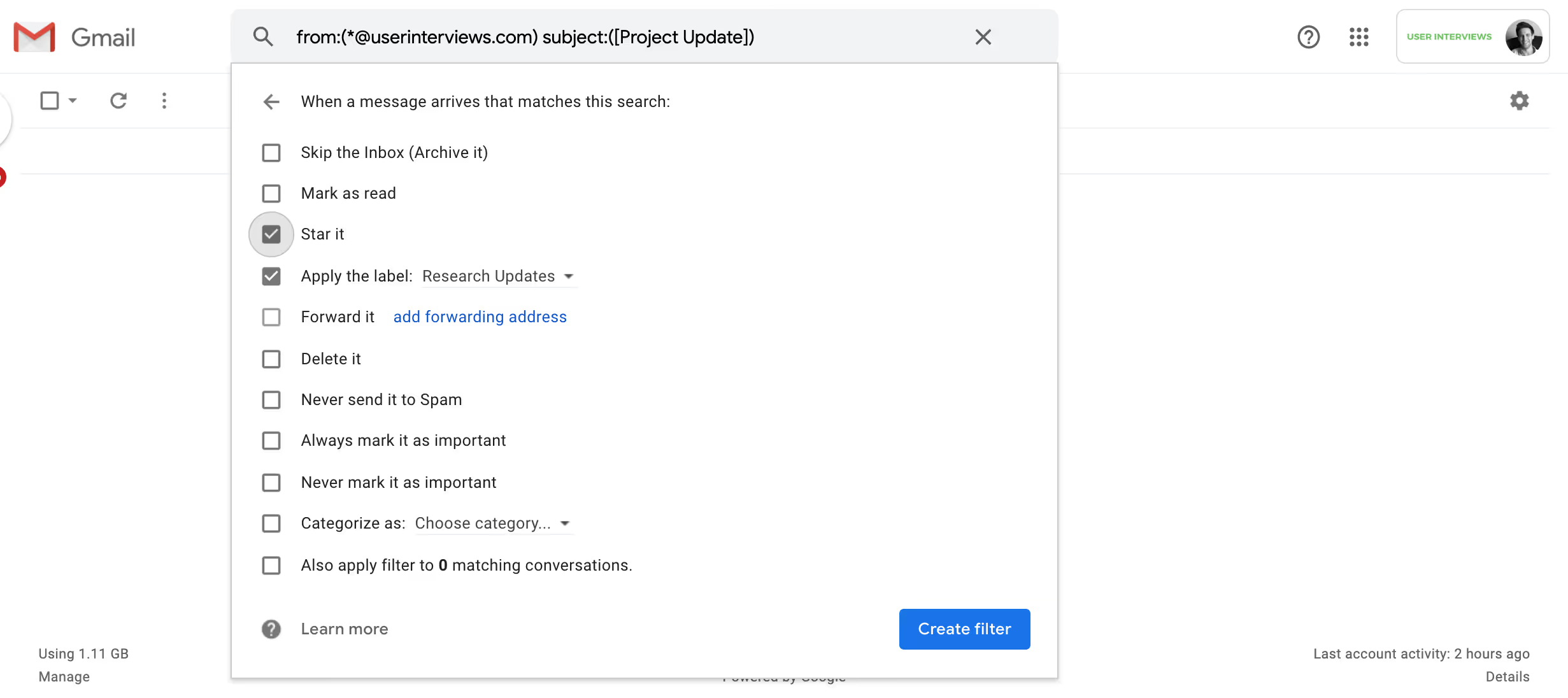
- Tell Gmail what to do with the filtered messages: send them to a special folder, add a label, etc.
That's it! We hope this will help you stay organized and speed up your research workflow.