| Adjust the time frame for participants to confirm their spot before a session. |
This article applies to User Interviews
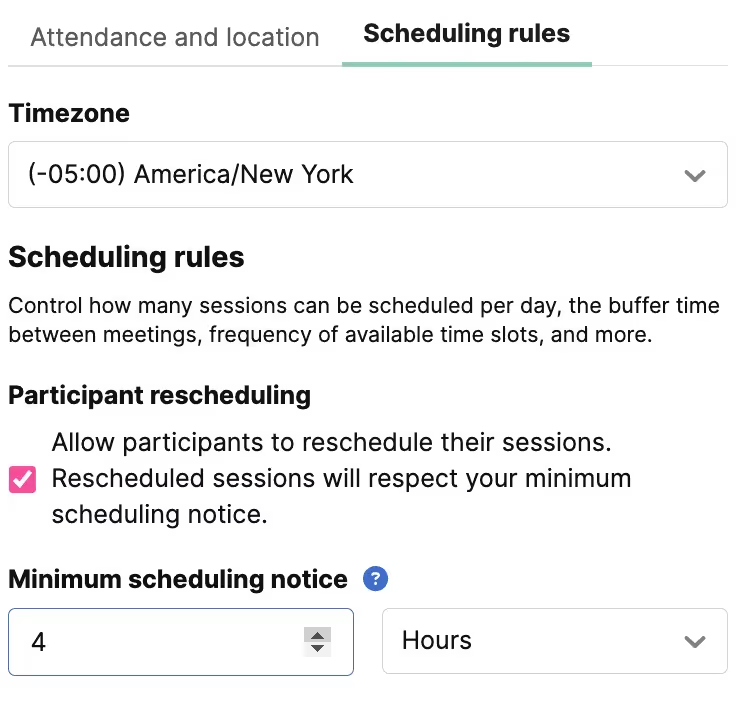
This feature allows you to control the lead time between when participants can book a session and the session itself. For example, setting the minimum scheduling notice to 4 hours will enable participants to book a session up to 4 hours before the scheduled time. This calendar rule holds true for rescheduling participants, too.
To edit your minimum scheduling notice, follow these steps:
- To edit your scheduling notice, select to edit "Scheduling rules" under the Research Activity tab of your Research Design section.
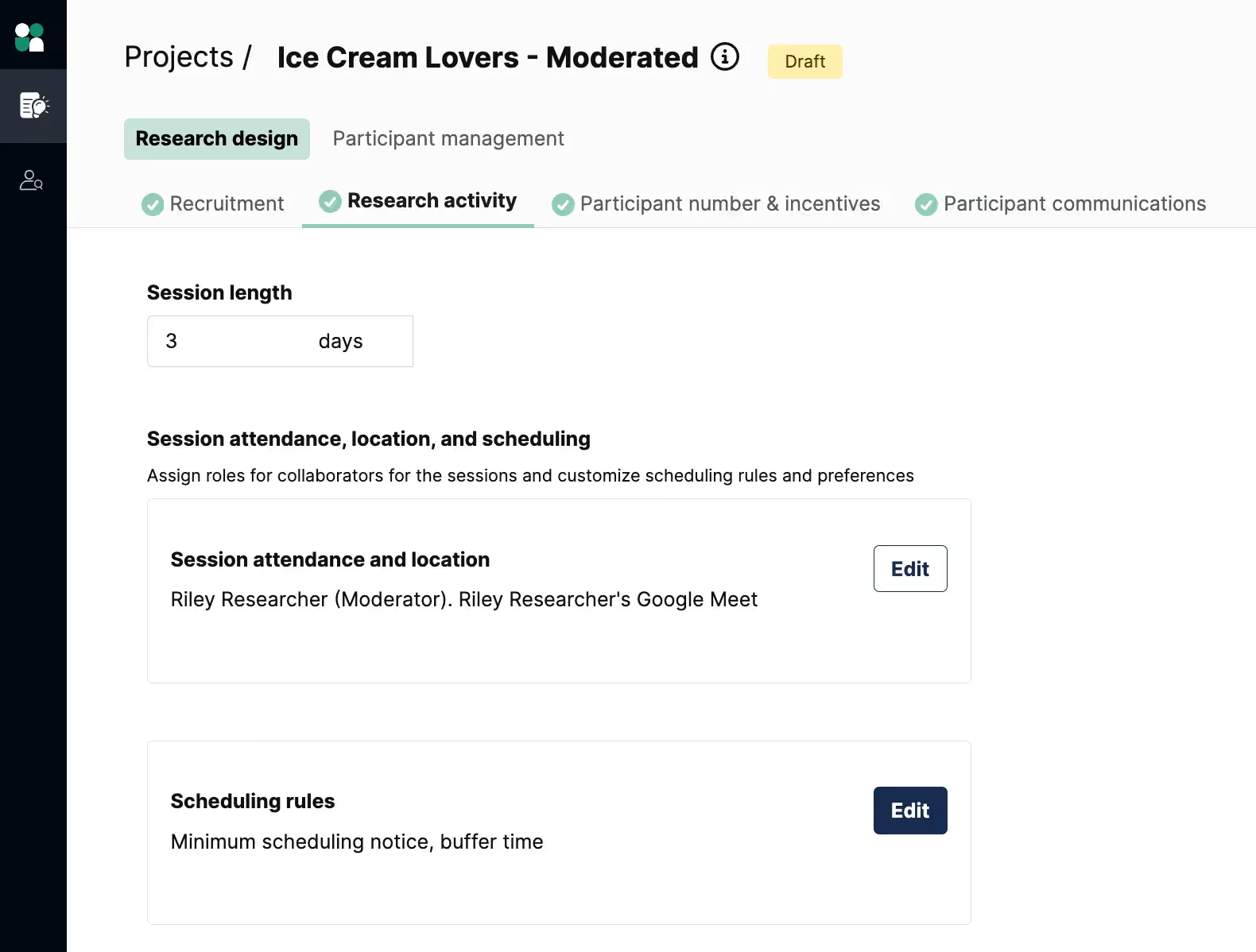
- Adjust your "Minimum Scheduling Notice" to best fit your project availability. Here, you can increase or decrease the frequency and unit of time.
- To save any changes, click the "Save" button.